


Best Charging Cables in 2026: The Only Buying Guide You Actually Need

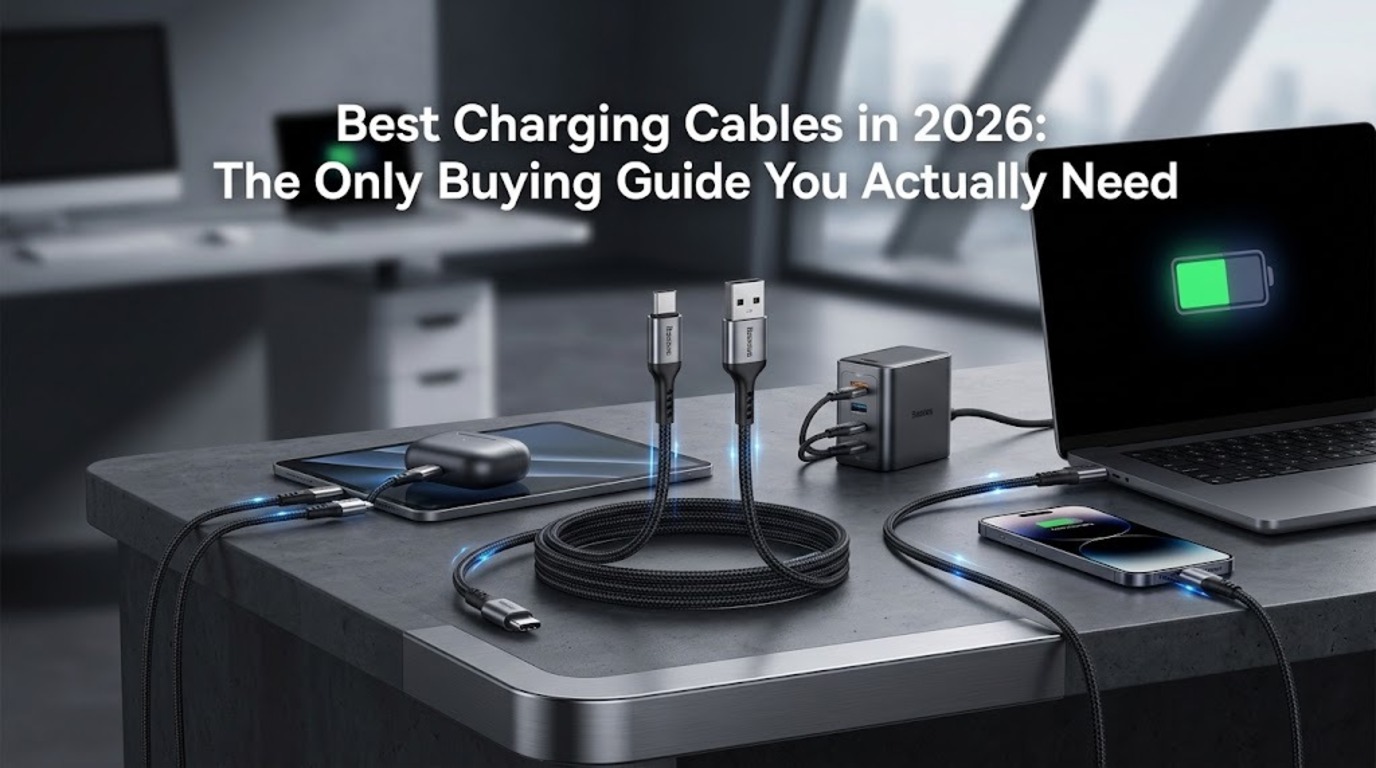
Looking for the best charging cables in Nigeria? This is the only 2026 buying guide you actually need.
You’ve probably thrown away more charging cables than you can count. Frayed ends, slow charging speeds, cables that transfer data at a crawl — the frustration is universal. And the worst part? Most people keep buying the same cheap cables and expecting different results. This guide is here to end that cycle.
Whether you’re charging a MacBook Pro, powering up an iPhone 16, or transferring files from a Samsung Galaxy, choosing the right cable matters more than most people realize. The difference between a $5 gas station cable and a properly engineered one isn’t just durability — it’s charging speed, data transfer rates, device safety, and long-term cost. We’ve broken down everything you need to know about charging and data cables in 2026, from USB standards and wattage ratings to build quality and connector types. No fluff, no filler — just the information you need to buy the right cable the first time.
Why Your Charging Cable Choice Actually Matters
Here’s a hard truth most people ignore: your cable is the bottleneck in your entire charging setup. You can buy a 100W GaN charger, but if your cable only supports 60W, you’re leaving performance on the table. You can have a USB 3.2 port on your laptop, but if your cable is wired for USB 2.0 data speeds, your file transfers will crawl at 480 Mbps instead of flying at 10 Gbps.
And then there’s safety. A poorly made cable with thin gauge wiring can overheat under high wattage loads. Cables without proper e-marker chips won’t negotiate the correct power delivery with your devices. In the worst cases, substandard cables have been known to damage device charging circuits. The cable is the weakest link in the chain, and upgrading it is usually the cheapest fix in your entire tech setup.
Understanding USB Cable Standards: The Specs That Matter
Before you spend a single naira, you need to understand what the numbers on the box actually mean. This is where most buyers get confused — and where manufacturers love to be vague.
USB Versions and Data Transfer Speeds
Not all USB-C cables are created equal. The USB-C connector is just the physical shape — the performance behind it varies wildly depending on which USB standard the cable supports.
USB 2.0 delivers data at up to 480 Mbps. This is the baseline, and unfortunately, it’s what most budget cables ship with. If you’re only charging your phone, USB 2.0 is fine. But if you’re transferring photos, videos, or backing up your device, you’ll feel the bottleneck fast.
USB 3.2 Gen 1 (formerly USB 3.0) bumps speeds to 5 Gbps — roughly 10 times faster than USB 2.0. This is the sweet spot for most users who occasionally transfer files.
USB 3.2 Gen 2 pushes to 10 Gbps, and USB 3.2 Gen 2×2 doubles that to 20 Gbps. These are ideal for external SSDs, video capture devices, and professional workflows.
USB4 and Thunderbolt 4/5 cables hit 40 Gbps and beyond, but they’re specialized (and expensive). Unless you’re docking a laptop or running an external display, you likely don’t need them.
The takeaway: check the USB version, not just the connector type. A USB-C cable with USB 2.0 internals looks identical to a USB4 cable on the outside, but the performance gap is massive.
Power Delivery (PD) and Wattage Ratings
Wattage determines how fast your cable can charge your device. Here’s the quick breakdown:
Up to 60W: Standard USB-C PD. Handles most smartphones, tablets, and smaller laptops. Most cables on the market fall here.
● 100W (USB PD 3.0): The previous gold standard for laptop charging. Requires a cable with an e-marker chip to negotiate higher power safely.
● 140W (USB PD 3.1): Introduced for devices like the MacBook Pro 16-inch. Not every cable supports this — you need an EPR (Extended Power Range) cable.
● 240W (USB PD 3.1 max): The current ceiling for USB-C power delivery. Designed for high-performance laptops, gaming laptops, and future-proofing. Cables at this tier use heavier gauge wiring and advanced e-marker chips.
Why this matters for your purchase: if you buy a 65W laptop charger but pair it with a cable rated for only 60W, you’re fine. But if you buy a 140W charger and use a 60W cable, the cable becomes the limiter and your device charges at a fraction of its potential speed.
The E-Marker Chip: The Hidden Component
Any cable carrying more than 60W (technically, more than 3A at 20V) is required by the USB-IF specification to contain an e-marker chip. This tiny electronic component sits inside the cable’s connector and communicates with your charger and device to negotiate the correct voltage and amperage. Cables without e-marker chips will default to lower power levels as a safety measure.
So if you buy a cable advertised as “100W” but it lacks an e-marker, your devices won’t actually pull 100W through it. This is one of the most common deceptions in the budget cable market. How to verify: reputable manufacturers like Baseus list e-marker certification in their specs. If a listing doesn’t mention it for any cable rated above 60W, that’s a red flag.
Connector Types: What’s Still Relevant in 2026
USB-C to USB-C
This is the universal standard now. With the EU’s common charger directive fully in effect and Apple having transitioned the iPhone to USB-C starting with the iPhone 15 series, USB-C to USB-C is the cable type you’ll use most. It handles charging and data for phones, tablets, laptops, earbuds, portable batteries, and more. If you’re buying one cable to rule them all, this is it.
USB-A to USB-C
Still relevant for connecting to older chargers, car adapters, power banks, and desktop PCs that haven’t been refreshed with USB-C ports. However, USB-A tops out at lower power delivery (typically 18W–36W depending on the protocol) and older data standards. Consider these transitional — useful today, but you should be migrating toward an all-USB-C setup.
USB-C to Lightning
Apple’s proprietary Lightning connector is being phased out, but millions of older iPhones, iPads, and AirPods still use it. If you’re supporting legacy Apple devices, you’ll need these cables for a while longer. Just don’t invest heavily — Lightning’s days are numbered.
Specialty Cables: Magnetic, Right-Angle, and Coiled
These serve niche use cases. Magnetic breakaway cables protect laptops from being yanked off desks. Right-angle connectors are popular with mobile gamers who don’t want a cable sticking straight out of their phone. Coiled cables keep desk setups tidy. They’re nice-to-haves, not essentials — buy them for specific problems, not as your primary cable.
Build Quality: What Separates a 6-Month Cable from a 6-Year Cable
Cable Sheathing Materials
PVC (standard rubber): cheap, flexible, but prone to cracking and fraying at the connector junction within months of regular use. This is what comes in the box with most devices.
TPE (Thermoplastic Elastomer): a step up from PVC. More flexible, slightly more durable, and has a smoother feel. Most mid-range cables use TPE.
Nylon Braided: the current gold standard for consumer cables. Nylon braiding resists tangling, withstands repeated bending, and typically survives 10,000–30,000+ bend cycles in lab testing. Cables like the Baseus Tungsten Gold series use double-braided nylon with zinc alloy connectors, which is why they consistently appear in durability roundups.
Silicone: increasingly popular for its soft, tangle-free feel and strong bend resistance. Silicone cables can match or exceed nylon in durability while being lighter and more flexible. However, they tend to attract dust and lint.
Connector Reinforcement
The connector junction — where the cable meets the plug — is where 90% of cable failures happen. Look for:
● Strain relief: a reinforced section at the base of the connector that absorbs bend stress
● Metal housing: aluminum or zinc alloy connector shells resist cracking better than plastic
● Laser-welded joints: higher-end cables use laser welding for a seamless bond between the connector and sheathing
The Baseus Tungsten Gold cables, for example, use zinc alloy connector housings rated for 20,000+ insertions and reinforced strain relief at both ends. This is the kind of engineering detail that separates a cable you replace every few months from one that lasts years.
Bend Lifespan Testing
Reputable manufacturers publish bend test results — the number of 90-degree bends a cable can withstand before failure. Here’s what to look for:
● Budget cables: 3,000–5,000 bends (expect 3–6 months of daily use)
● Mid-range cables: 10,000–15,000 bends (1–2 years)
● Premium cables: 20,000–30,000+ bends (3–5+ years)
If a manufacturer doesn’t publish bend test data, assume the cable is in the budget tier.
How to Choose the Best Charging Cables in Nigeria: A Decision Framework
Step 1: Identify Your Highest-Wattage Device
Your cable needs to match or exceed the maximum charging wattage of your most demanding device. If your laptop charges at 100W, buy a cable rated for at least 100W. Future-proofing? Go 240W so you never have to think about it again.
Step 2: Determine Your Data Needs
If you only charge devices and never transfer files via cable, USB 2.0 internals are perfectly fine — and they’re cheaper. If you transfer photos, videos, or use external storage, step up to USB 3.2 Gen 1 (5 Gbps) minimum.
Step 3: Pick the Right Length
● 1m (3.3ft): ideal for desk charging and travel. Minimal voltage drop, cleanest setup.
● 2m (6.6ft): the versatile choice. Long enough for couch-to-outlet charging, short enough to coil neatly.
● 3m (10ft): for bedside charging or setups where the outlet is far away. Note: longer cables can experience slightly more voltage drop, though this is negligible in quality cables with proper gauge wiring.
Step 4: Choose Your Build Material
For daily carry and travel, nylon braided cables offer the best balance of durability and portability. For desk setups where the cable stays put, silicone or TPE works well.
Step 5: Check Certifications
Look for USB-IF certification, which guarantees the cable meets published standards for safety and performance. MFi certification (Made for iPhone/iPad) matters for Lightning cables. Cables that skip these certifications save on cost but gamble with compatibility and safety.
Best Charging Cables in Nigeria: Our Top Picks for 2026
Best Overall USB-C Cable: Baseus Tungsten Gold 240W USB-C to USB-C
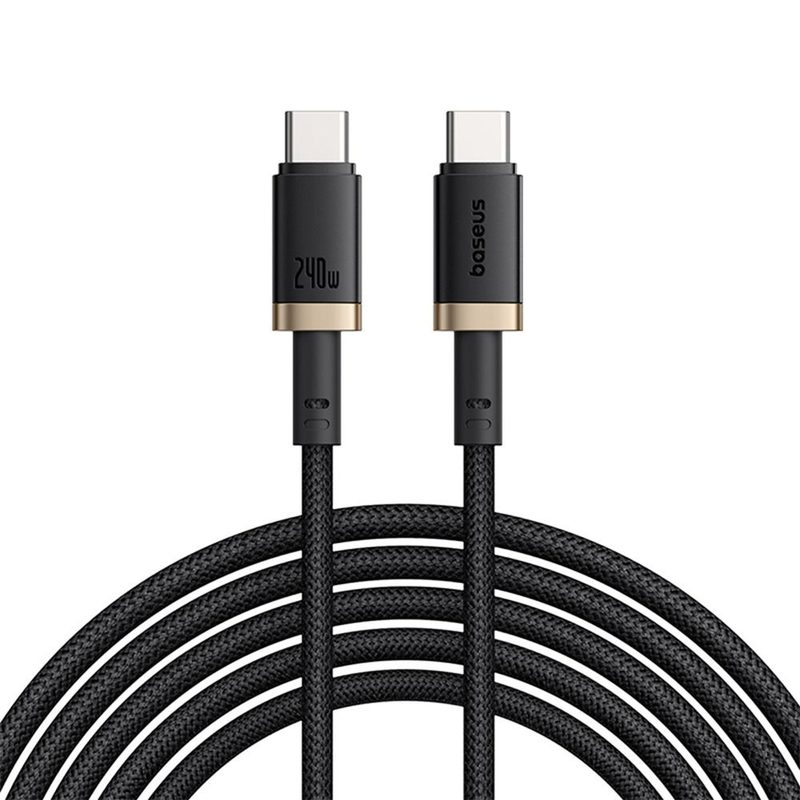
This is the cable we recommend to anyone who asks, and for good reason. The Baseus Tungsten Gold 240W supports the maximum USB PD 3.1 power delivery, meaning it can charge everything from an iPhone to a gaming laptop at full speed. The double-braided nylon sheathing and zinc alloy connectors deliver premium build quality that matches cables costing twice the price. It’s rated for 20,000+ bends and comes in 1m, 2m, and 3m lengths.
Why it wins: 240W future-proofs your setup, the build quality is genuinely excellent, and Baseus has priced it competitively against cables with half the wattage rating. If you buy one cable today and don’t want to think about cables again for years, this is it.
Best for: laptop charging, fast-charging phones, anyone who wants a single cable for everything.
Best Budget USB-C Cable: Baseus USB-C to USB-C 100W
Not everyone needs 240W, and Baseus knows it. Their 100W USB-C cable uses the same nylon braided construction and zinc alloy connectors as the Tungsten Gold line but at a lower price point. It handles the vast majority of smartphones, tablets, and ultrabooks without breaking a sweat.
Why it wins: same Baseus build quality at a friendlier price. 100W covers 95% of consumer devices, and the braided build means it’ll outlast the devices you charge with it.
Best for: everyday phone and tablet charging, budget-conscious buyers who still want quality.
Best USB-A to USB-C Cable: Baseus USB-A to USB-C Nylon Braided
For bridging the gap between older chargers and USB-C devices, this cable delivers fast charging (up to QC 4.0 / 5A depending on variant) with the same braided durability Baseus is known for. The reinforced connectors ensure the USB-A side — which takes more mechanical stress from frequent plugging — holds up over time.
Best for: car chargers, older power banks, legacy PC ports.
Best for iPhone (Legacy): Baseus USB-C to Lightning 20W
If you’re still rocking an iPhone 14 or earlier, the Baseus USB-C to Lightning cable delivers 20W PD fast charging with MFi certification. The nylon braided build prevents the fraying that plagues Apple’s own Lightning cables.
Best for: iPhone 14 and earlier, older iPads, AirPods with Lightning cases.
Common Mistakes to Avoid When Buying Charging Cables
Even with the best charging cables in Nigeria available today, buyers still fall for the same avoidable traps. Watch out for these:
Buying based on price alone. A 1,500 naira cable that dies in two months costs more per year than a 9,900 cable that lasts three years. Do the math.
Ignoring wattage ratings. Your 140W charger is useless if paired with a 60W cable. Always match the cable to your charger’s maximum output.
Assuming all USB-C cables are the same. They are not. Two cables with identical USB-C connectors can have completely different internal wiring, power ratings, and data speeds. The connector is not the standard — the internal specification is.
Buying cables without e-markers for high-wattage charging. If the cable is rated above 60W and doesn’t mention an e-marker chip, don’t trust it.
Hoarding old cables. That drawer full of micro-USB cables and frayed Lightning cords? Recycle them. Standardize on USB-C with two or three quality cables, and your life gets simpler.
Charging Cable Care Tips: Making Your Investment Last
Even the best charging cable won’t survive abuse. A few habits that extend cable life: Avoid wrapping cables tightly around chargers or devices — this creates stress points at the connector junction. Instead, use loose coils or cable organizers. When unplugging, pull from the connector housing, never the cable itself.
Store cables loosely in a pouch or cable organizer rather than stuffing them into pockets or bag bottoms. Keep cables away from heat sources — high temperatures degrade both the sheathing material and internal wiring insulation over time. These are simple habits, but they’re the difference between a cable that lasts one year and one that lasts five.
FAQ: Best Charging Cables
Still have questions about choosing the best charging cables in Nigeria? Here are the answers buyers ask most.
What is the best charging cable brand?
Baseus, Anker, and Ugreen consistently rank among the top charging cable brands for their combination of build quality, performance, and value. Baseus stands out particularly for offering 240W cables with premium nylon braided construction at competitive price points.
Can I use any USB-C cable for fast charging?
No. Fast charging requires a cable rated for the wattage your charger and device negotiate. A basic USB-C cable rated for 15W won’t deliver 65W fast charging even with a 65W charger. Check the cable’s wattage rating before buying.
How long do charging cables last?
Budget cables typically last 3–6 months with daily use. Mid-range nylon braided cables last 1–3 years. Premium cables from brands like Baseus with reinforced connectors and high bend-test ratings can last 3–5 years or more.
Is a 240W cable overkill for my phone?
Not at all. A 240W cable will charge your phone at whatever wattage your phone supports — it doesn’t force higher power. The benefit is future-proofing: as you upgrade devices, the cable keeps up. Buy once, use for years.
Does cable length affect charging speed?
In high-quality cables with proper gauge wiring, the difference between a 1m and 2m cable is negligible. At 3m, there can be a slight voltage drop, but reputable manufacturers compensate with thicker internal wiring. Avoid unbranded cables longer than 2m.
What does “e-marker” mean in a charging cable?
An e-marker is an electronic chip embedded in the cable’s connector that communicates with your charger and device to negotiate safe power delivery. It’s required by the USB-IF specification for any cable carrying more than 60W. Without it, devices default to lower, safer power levels.
The Bottom Line
When you shop for the best charging cables in Nigeria, buying the right one isn’t complicated once you know what to look for. Match the wattage to your most demanding device, choose a USB standard that fits your data needs, invest in durable build materials, and buy from manufacturers who publish real specs and certifications.
If you want a single cable recommendation: the Baseus Tungsten Gold 240W USB-C to USB-C handles virtually every use case, lasts for years, and costs less than the monthly frustration of replacing cheap cables. That’s not marketing — that’s math. Stop wasting money on disposable cables. Buy it right once, and move on to problems that actually matter.

One thought on “Best Charging Cables in 2026: The Only Buying Guide You Actually Need”